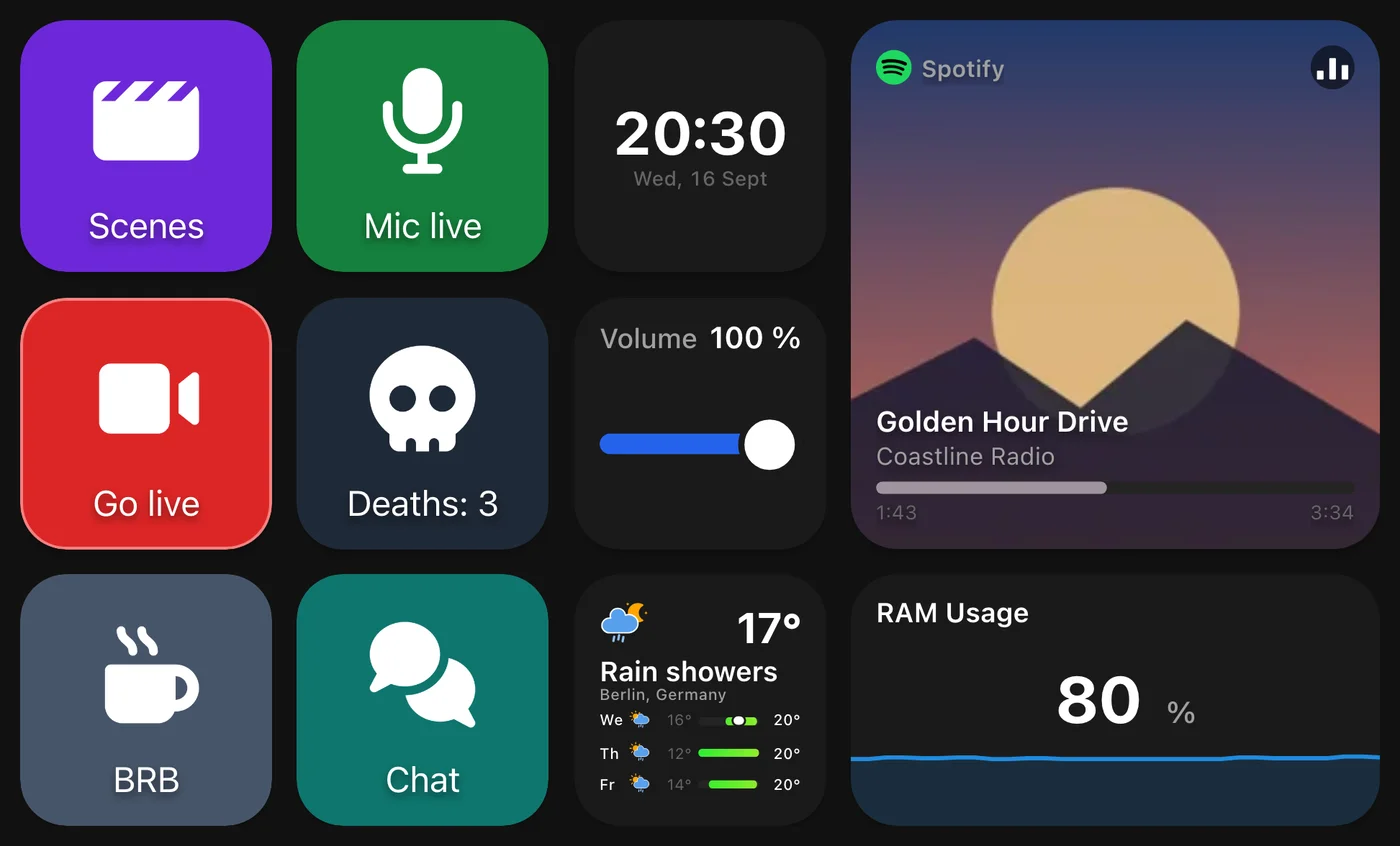
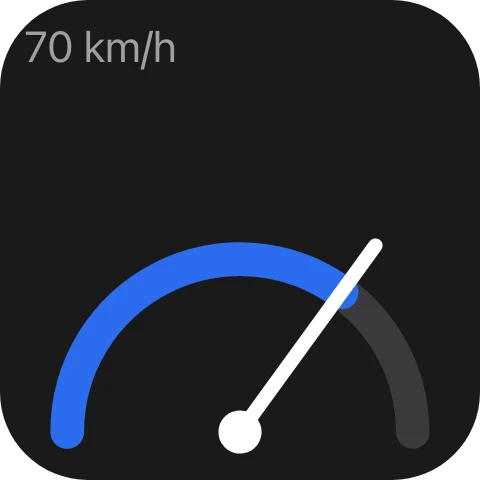
Add your own widgets with plugins
Plugins can add widget types of their own, and Macro Deck draws them on every device like the built-in ones.
Read how widget types workMacro Deck is the open-source macro pad for Windows, macOS and Linux. Build your setup from buttons, sliders, media controls and live widgets, and control apps, services and devices from one place.
Download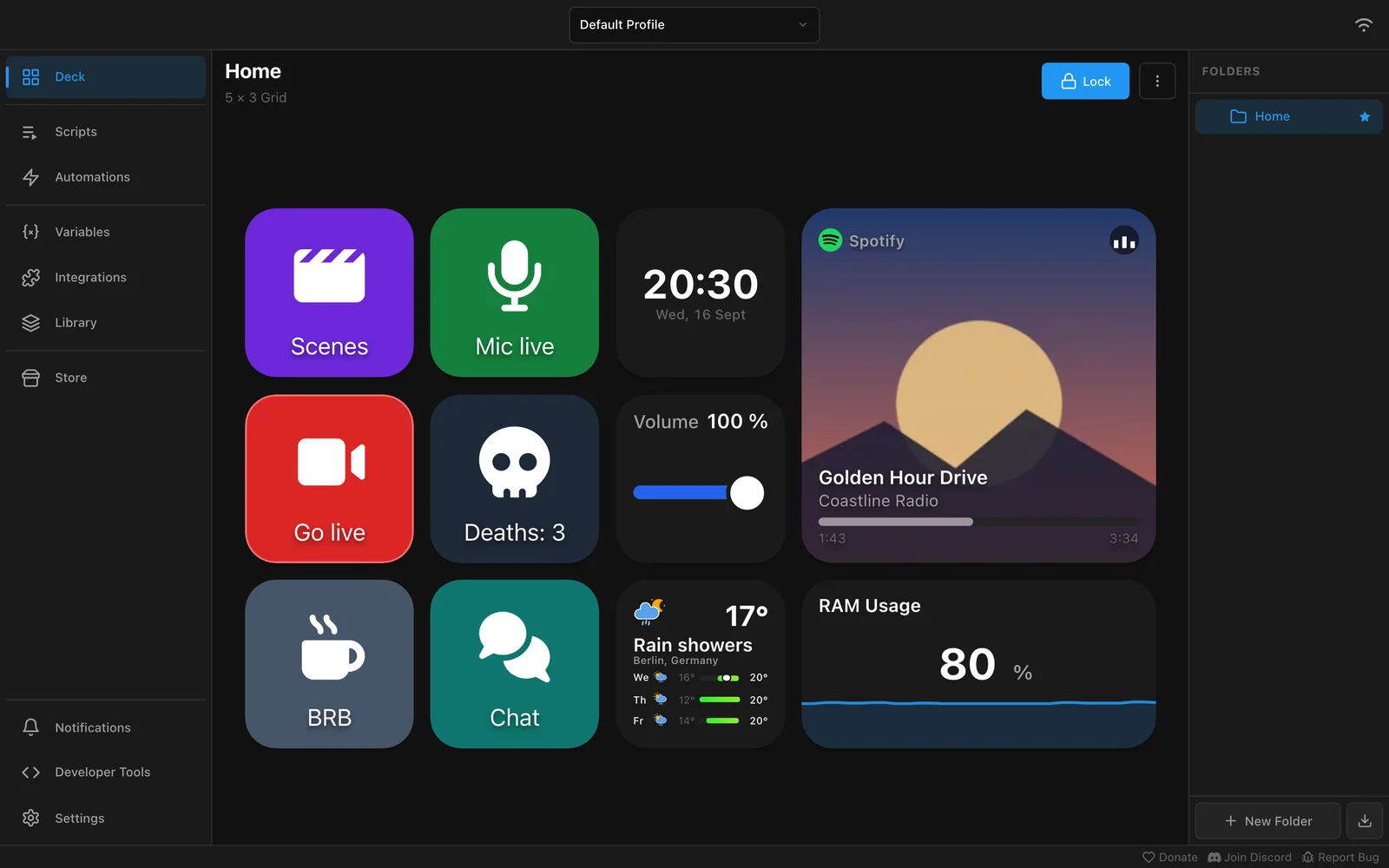
Nice try!
The full experience unlocks on your own computer. Get Macro Deck and build a deck of your own.
Your computer runs Macro Deck. Your other devices only need a browser or the Companion app.
On the Windows, macOS or Linux computer you want to control.
Open the free web client in the browser of any phone, tablet, or computer on the same network, or use the optional Companion app for Android and iOS.
Arrange profiles, folders and widgets on your computer. Connected devices update right away.
Turn on the integrations you use, like OBS Studio or Home Assistant, and put their actions on buttons.
Macro Deck runs on your computer and does the work there. Your phone shows the same deck and sends your presses, and every change reaches every connected device on its own.
Slowed down here so you can follow along. In practice, Macro Deck syncs within a few milliseconds over Wi-Fi and in under a millisecond over USB.
Organize your setup into profiles and folders, and fill them with widgets that do more than run a shortcut.
Why choose Macro Deck?Plugins can add widget types of their own, and Macro Deck draws them on every device like the built-in ones.
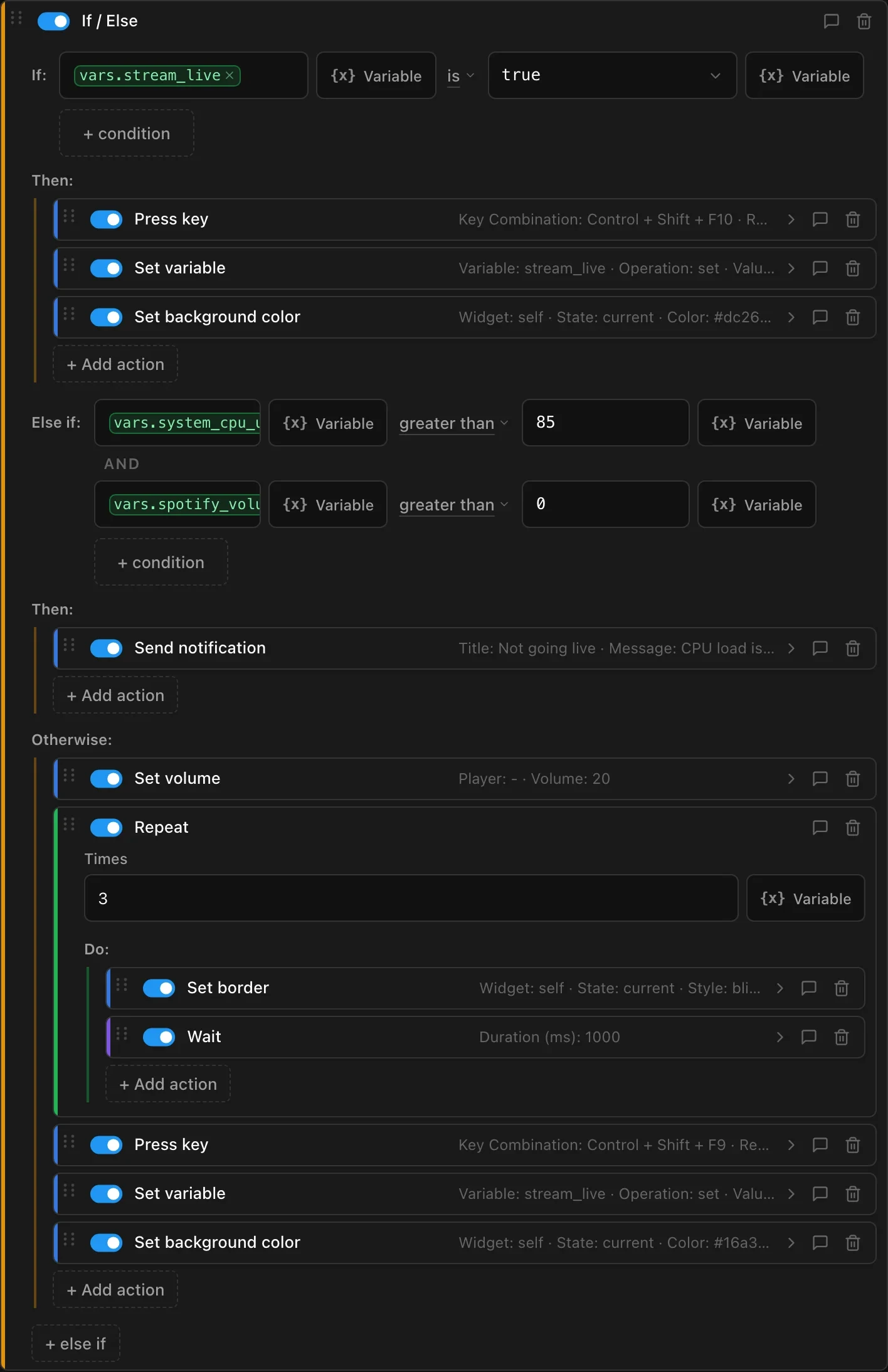
Read how widget types workGive a button actions for a short press, a long press, a double tap or an event, and build them into flows. Branch with If, Else if and Else, combine conditions on live variables, repeat steps and wait in between.
This Go live button checks whether you are already streaming, refuses to start while the CPU is busy, and otherwise lowers the music, sets its border to blink, presses your streaming hotkey and turns green.
Pick background, label and icon colors, bring your own icons and frame them with zoom, position and opacity. Choose fonts and label positions, and add borders that glow, blink or cycle through colors.
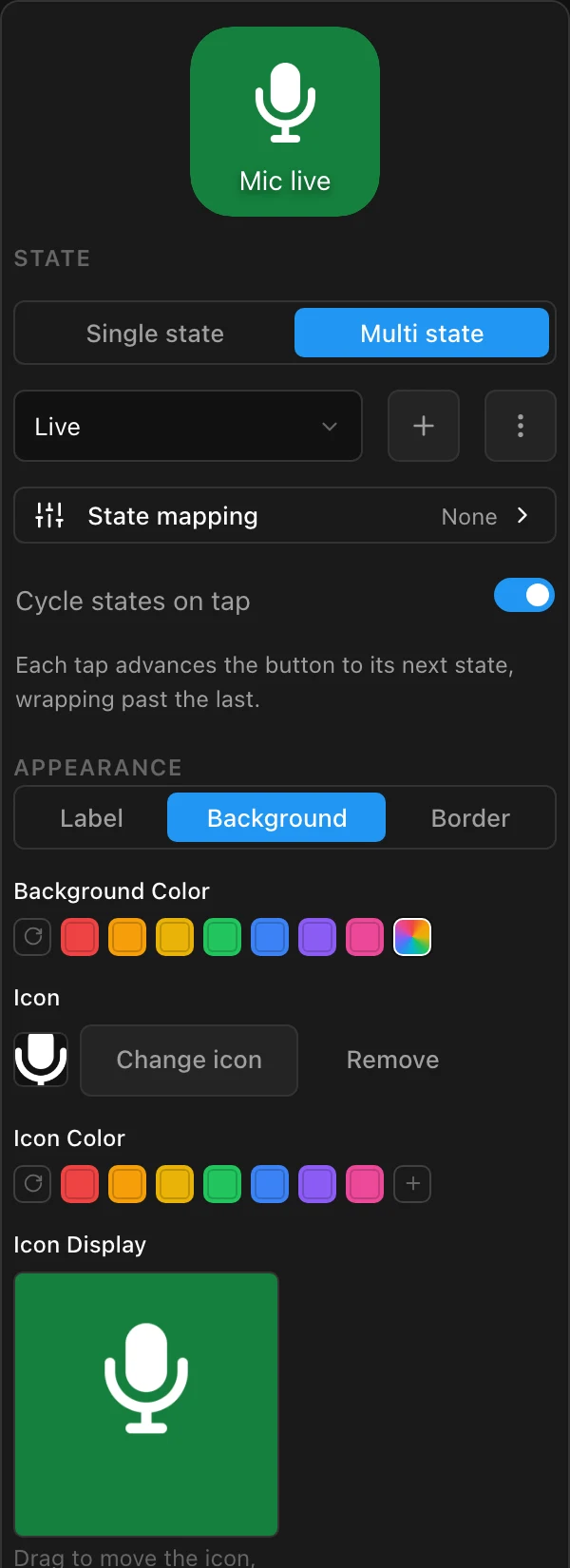
Every state of a button gets its own look, so a mic button can be green while live and red while muted. With state mapping it follows a variable instead, for example your mute status in Discord. Put live values such as a {{ vars.deaths }} counter into any label.
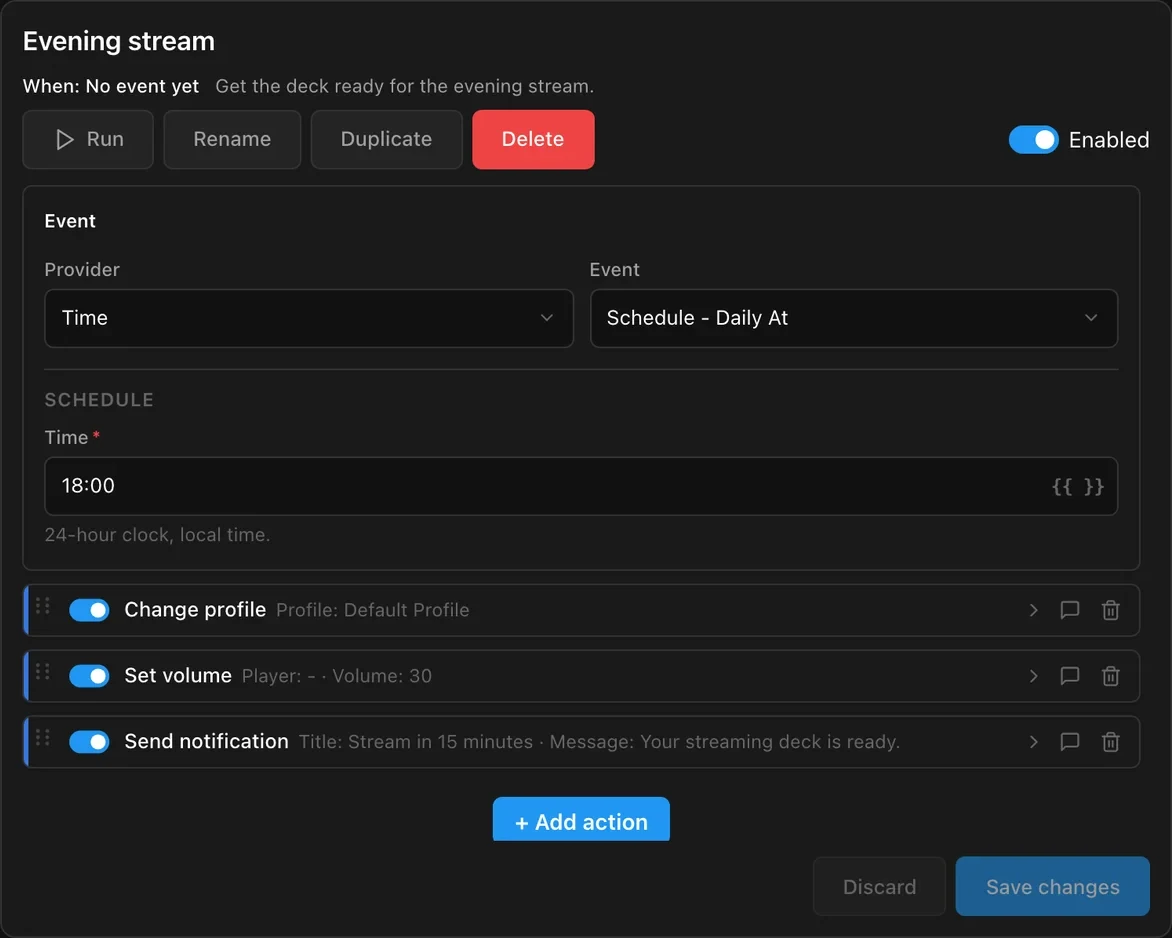
Get your deck ready for the evening stream at 18:00 every day, or react when a device connects, a variable changes or OBS starts streaming.
The .NET SDK gives your plugin the same contracts the built-in integrations use: actions, variables, events, widgets and setup screens.
Start from the template, run it with hot reload and check it with the conformance tests, or let your AI coding agent build it with the Macro Deck plugin skill. The Creator Portal reviews and signs every version before it reaches the Store.
Build your first plugin~ % macrodeck-plugin new --name "Hello Deck" --publisher Acme -yCreated plugin project at '~/HelloDeck'.Manifest: ~/HelloDeck/src/HelloDeck/manifest.jsonBuild configuration: ~/HelloDeck/src/HelloDeck/macrodeck-build.json~ % cd HelloDeck/src/HelloDeckHelloDeck % macrodeck-plugin run --project . --watchUsing host at http://127.0.0.1:52417.Developer Mode is enabled; a pairing prompt will appear in Macro Deck.Started process 70511 (mode: SelfRegistering, host: http://127.0.0.1:52417). Press Ctrl-C to stop.Watching the project: a saved change is applied with .NET Hot Reload, or rebuilds and restarts the plugin. Open developer previews in Macro Deck follow along.[plugin] dotnet watch 🔥 Hot reload enabled. For a list of supported edits, see https://aka.ms/dotnet/hot-reload.[plugin] dotnet watch 💡 Press Ctrl+R to restart.[plugin] dotnet watch 🔨 Building ~/HelloDeck/src/HelloDeck/HelloDeck.csproj ...[plugin] dotnet watch 🔨 Build succeeded: ~/HelloDeck/src/HelloDeck/HelloDeck.csproj...[plugin] info: MacroDeck.Plugin.Hosting.Transport.PluginConnectionHostedService[0][plugin] Registered with the host as '"com.example.hello-deck"'....[plugin] info: HelloDeck.PluginIntegration[0][plugin] Initialized.^CStopping the plugin...The plugin exited within its 10s grace period.HelloDeck % macrodeck-plugin test --project .Macro Deck plugin conformance report (suite 1.3.0)Plugin: com.example.hello-deck 1.0.0Started: 2026-10-21T18:20:41.3954460+00:00, duration: 00:00:21.6978993Passed: 25, Failed: 0, Skipped: 24Conformant: yes[PASS] MDC0101 The plugin id is a valid reverse-domain package id (Required)[PASS] MDC0102 Every declared capability's local id is a valid declared-kind identifier (Required)...HelloDeck % macrodeck-plugin buildBuilding linux-x64...Building osx-arm64...Building win-x64...Built linux-x64, osx-arm64, win-x64.Packed com.example.hello-deck 1.0.0 -> ./com.example.hello-deck-1.0.0.macroDeckPlugin (46 entries, 5491783 bytes uncompressed).HelloDeck % Control the applications, services and devices you already use. These ship with Macro Deck, turn on the ones you need.
 OBS StudioStreaming
 Meld StudioStreaming
 Streamlabs DesktopStreaming
 Streamer.botStreaming
 TwitchStreaming
 YouTubeStreaming
 SpotifyMusic and audio
 YouTube Music Desktop AppMusic and audio
 WebNowPlayingMusic and audio
 JellyfinMusic and audio
 SoundPadMusic and audio
 VoicemeeterMusic and audio
 DiscordChat and voice
 Discord WebhooksChat and voice
 SinusBotChat and voice
 Home AssistantSmart home and web
 AdGuard HomeSmart home and web
 RSS feedsSmart home and web
 HTTPSmart home and web
 WeatherSmart home and web
 SystemYour computer
 KeyboardYour computer
 MouseYour computer
 AutoHotkeyYour computer
 ADB / Android Debug BridgeYour computer
 SteamYour computer
 Google CalendarCalendar and email
 Outlook CalendarCalendar and email
 Email (IMAP)Calendar and email
 Macro Deck CompanionMacro Deck
 Macro Deck DelegateMacro Deck
 ScriptsMacro Deck
 VariablesMacro Deck
Plugins add more apps, devices and services to Macro Deck. Every plugin is reviewed before it appears in the Store, and you install it from inside Macro Deck.
Build your own plugin with the public SDK.
Install Macro Deck on your computer, then connect your phone, tablet, or web browser.
Installer for Windows, an app for Apple silicon Macs, and an APT repository, .deb, .rpm and AppImage for Linux.
Open the installation guideFree and open source
Open the installation guideControl Macro Deck from your phone, tablet, or any web browser.
No installation required. Open your Macro Deck host's address in a browser on your local network.
Free and open source, bundled with Macro Deck
The Companion app is optional. One license unlocks it on both Android and iOS, and it is a one-time purchase with lifetime access, not a subscription. The license helps fund the ongoing development of Macro Deck. About the license
Both let you control Macro Deck. Choose the experience that works best for you.
| Feature | Web ClientFree | Companion App7-day free trial · One-time purchase, lifetime access |
|---|---|---|
| Drawn natively, no browser in betweenNoticeably better performance, especially on older phones and tablets | Not available | Supported |
| Fills the screen, no browser barsWeb client: where the browser supports it, usually once installed as a web app | Partly supported | Supported |
| Intuitive gesturesSwipe between folders, profiles and connected hosts | Not available | Supported |
| Finds your computers on the network | Not available | Supported |
| Connects over USBWeb client: Android only, with USB debugging | Partly supported | Supported |
| Actions and variables for the device, such as brightness or battery | Not available | Supported |
| Run scripts from widgets and automationsWidgets on both, Shortcuts and Siri on iOS, intents and Quick Settings tiles on Android | Not available | Supported |
| Turns the screen on and off automaticallyAndroid only: from actions and automations, or when the connection is lost and restored | Not available | Partly supported |
| Supports the active development of Macro Deck | Not available | Supported |
CountTogether is the innovative counter app for iOS and Android without complicated email registration. Create shared counters with friends and family in real-time. Useful for challenges, habits and shared goals.