Free since 2018, open source since 2021

Why Macro Deck?

Macro Deck is more than a Stream Deck alternative. It is a flexible, open-source automation platform with a long history, an active community and an ecosystem anyone can extend.

Turn the phones, tablets and browsers you already own into a customizable control surface for your computer, and decide what happens behind every button.

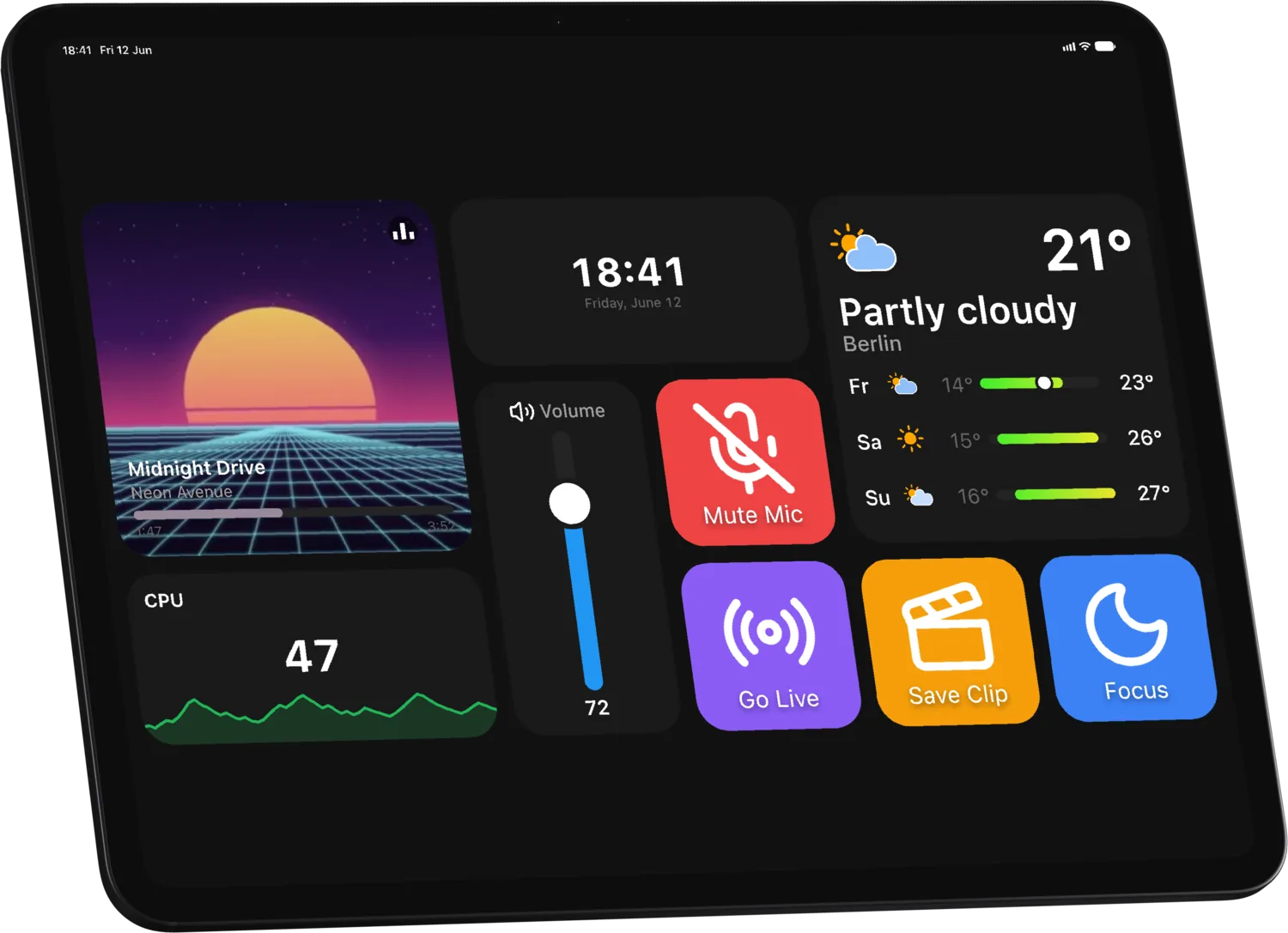
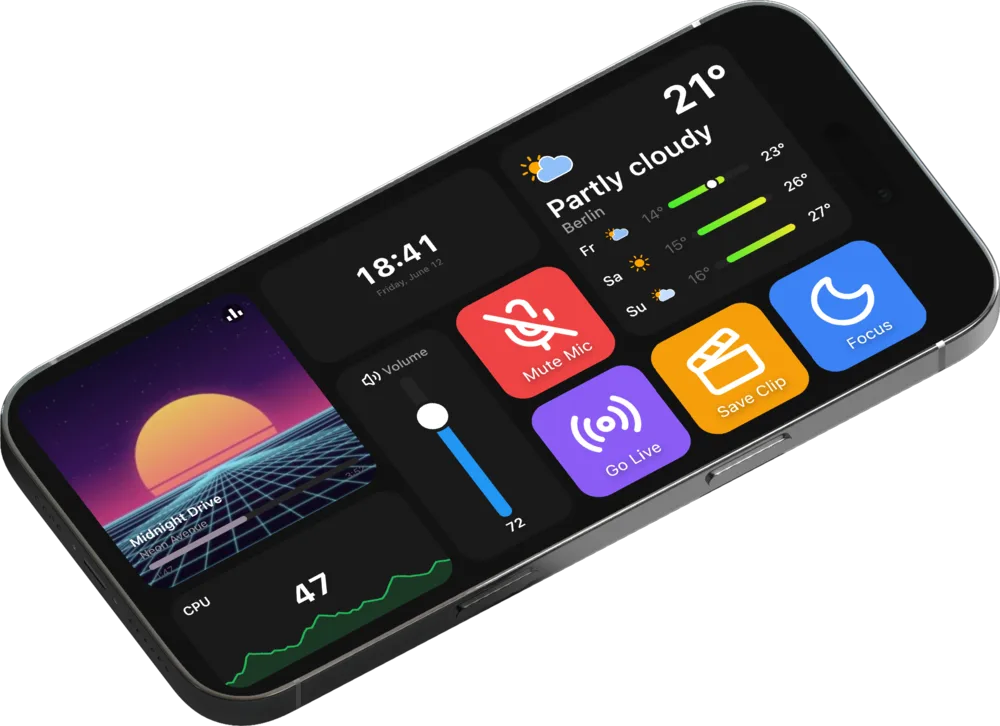
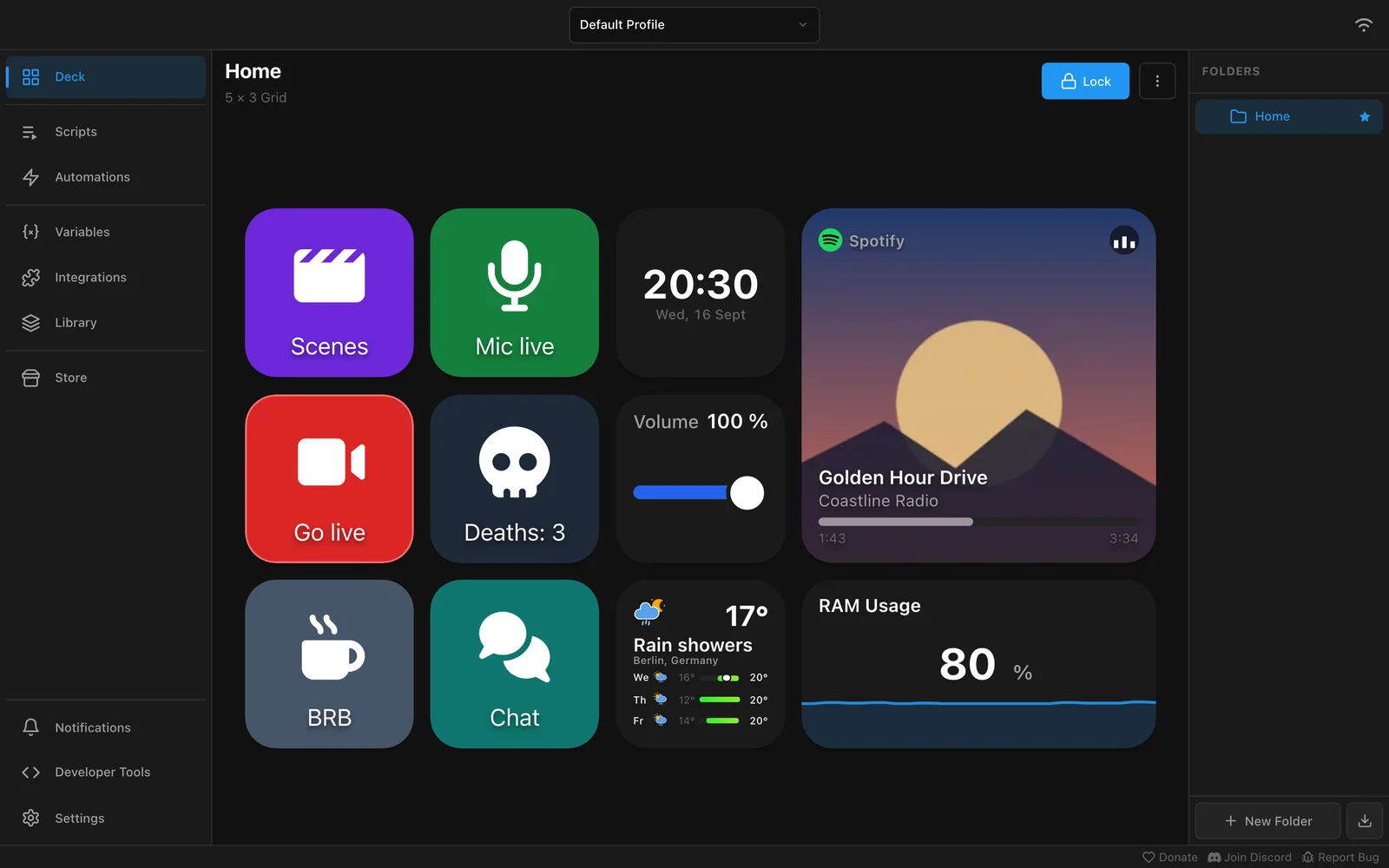
A deck on a tablet: music player, clock, weather forecast, volume slider, CPU graph and colorful action buttonsThe same deck on a phone held sideways

Established in 2018

One of the original free Stream Deck alternatives

Elgato's Stream Deck made dedicated macro keys a familiar sight on streamers' desks. In November 2018, Macro Deck appeared on the OBS Forum with a different idea: a free, ad-free macro pad that runs on the Android device you already own.

From there it grew release by release, shaped by the people using it, from folders of shortcuts into a cross-platform automation platform.

Read the original OBS Forum listing
  1. November 2018

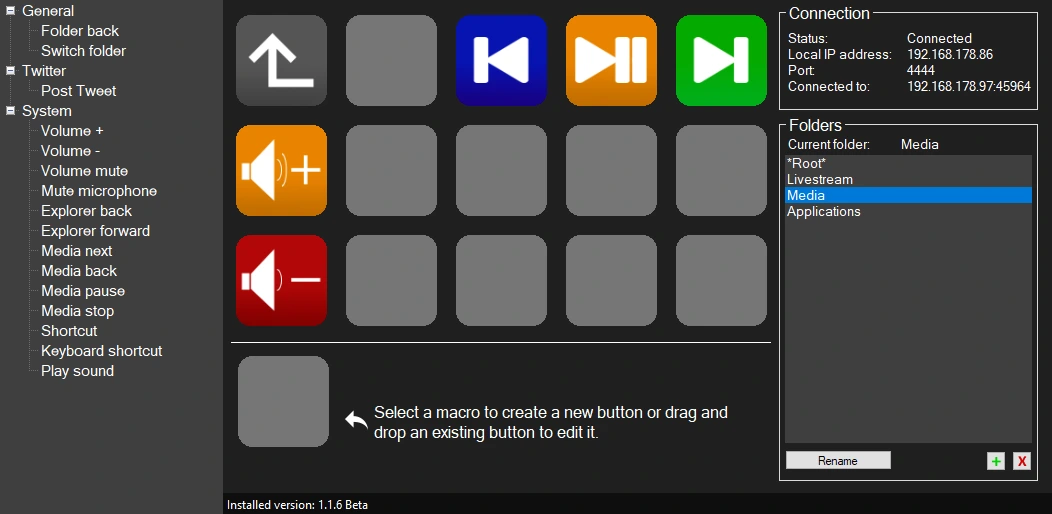
    The first release

    Keyboard and multimedia shortcuts, app launchers and folders on an Android device, connected to a PC over Wi-Fi.

    The Macro Deck Server 1.1.6 Beta window: a grid of macro buttons, a list of actions on the left and the connection status and folders on the right
  2. Macro Deck 2

    Open to plugins

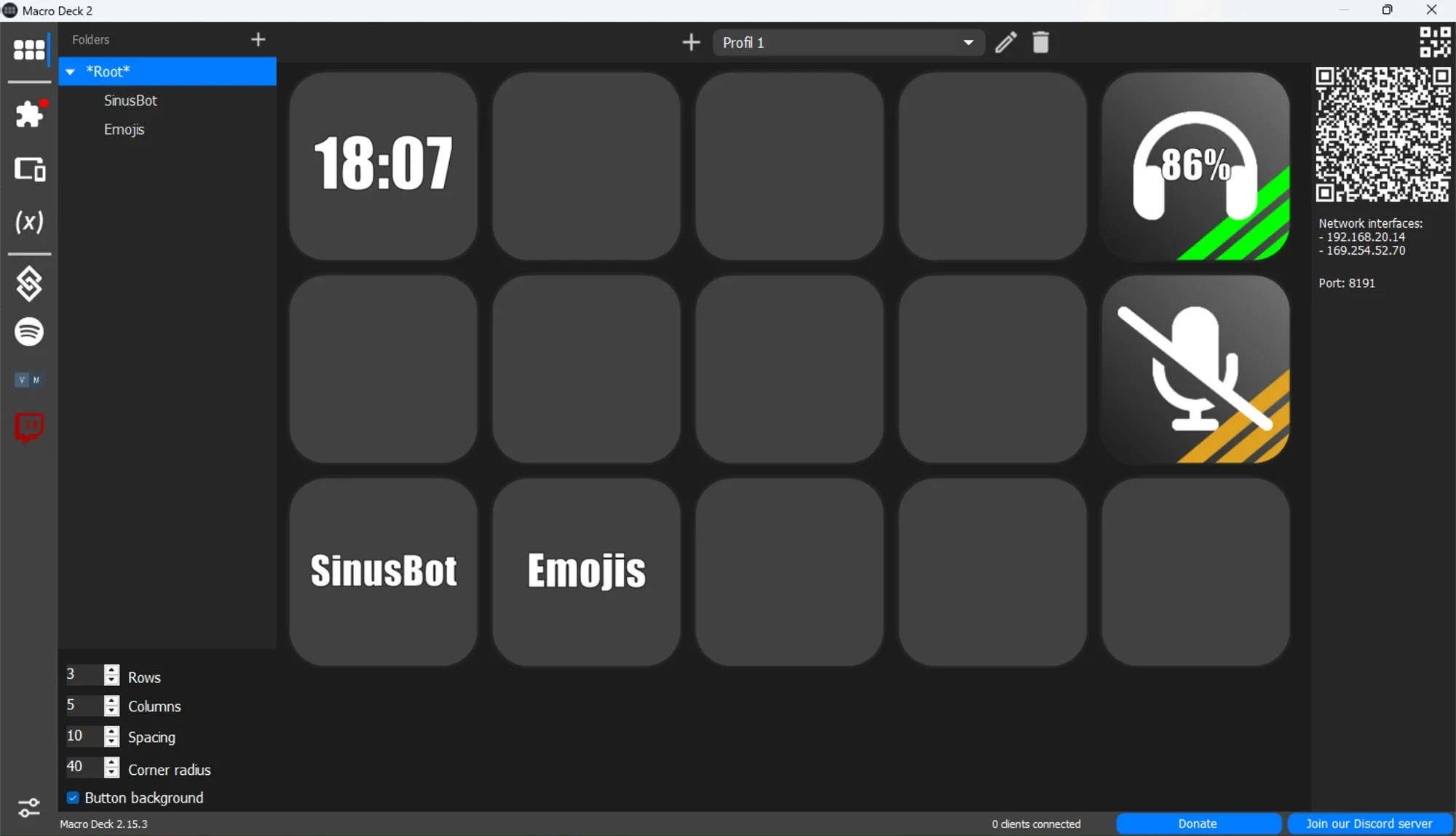
    A Windows app with plugins, which brought in integrations such as OBS Studio and Discord. Its source code went public under the Apache 2.0 license in November 2021.

    The Macro Deck 2 window with a sidebar, folders and a grid of buttons showing a clock, a headset battery and a muted microphone
  3. Macro Deck 3

    A platform

    A host for Windows, macOS and Linux, a web client, native Companion apps, a plugin SDK and a reviewed Store.

    The Macro Deck 3 deck editor with a music player, clock, weather, volume slider, CPU graph and colorful action buttons

Automation

Real logic, not just shortcuts

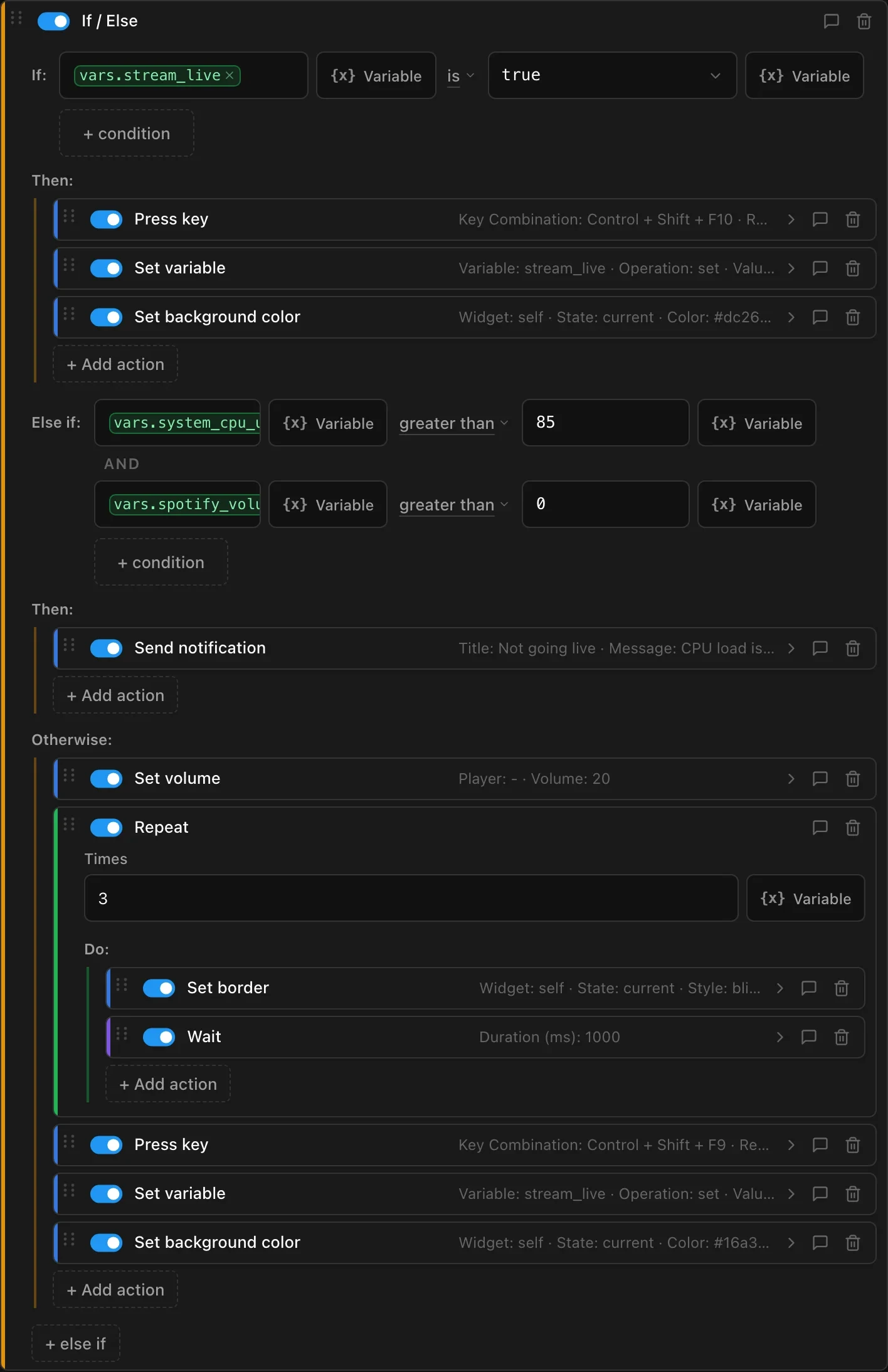
A button can do more than send a hotkey. Actions run as flows with conditions, loops and waits, they react to live values, and automations run them with nobody pressing anything.

Go live

  1. PressShort press on the button

  2. Ifstream_live is true

    • Press the stop hotkey
    • Set stream_live to false
    • Turn the button red
  3. Else ifCPU load above 85 and Spotify is playing

    • Send a notification instead of going live
  4. OtherwiseNothing is in the way

    • Lower the Spotify volume
    • Repeat 3 times: set the border to Blink, wait 1 second
    • Press the start hotkey
    • Set stream_live to true
    • Turn the button green
One press, three outcomes. This is the real flow behind the button, as it looks in the editor.
The Go live flow in the Macro Deck editor: an If / Else block with an Else if that combines two conditions, and an Otherwise branch with a Repeat loop, a Wait, hotkeys, variables and color changes
Conditions and loops
If, Else if and Else with combined conditions, Repeat and Wait.
Variables
Live values from your computer and integrations, shown on buttons and used in conditions.
Events
Run an automation on a schedule, when a device connects, a variable changes or OBS starts streaming.
Button states
Give a button several states with their own look, or let it follow a variable such as your mute status in Discord.
Other computers
With Macro Deck Delegate, a button runs a script on another PC and imports the variables it shares.
Live widgets
Sliders, gauges, graphs, music players and chat widgets show what is happening and respond to touch.

Useful well beyond streaming

Productivity
See your next meeting and unread email at a glance, and switch to your work profile at a set time.
System administration
Watch CPU and RAM on gauges, run commands and keep their output in a variable, or pause AdGuard Home.
Home automation
Switch lights, run scenes and show live Home Assistant states on buttons that reflect the real state.
Custom workflows
Call any web API with the HTTP integration, or run AutoHotkey scripts on Windows.

Plugin Store

Community plugins with a traceable origin

The Store inside Macro Deck offers plugins maintained by the community. What sets it apart is how a plugin gets there: every one is built from public source code, reviewed by a person and signed before you can install it.

  1. Public repository

    The source code is public on GitHub under an open source license. Dependencies come from public NuGet packages; bundled precompiled third-party libraries are not allowed.

  2. Trusted publishing

    A tagged release runs Macro Deck's own release workflow. GitHub confirms the repository, commit and workflow, so a binary built elsewhere cannot be uploaded, and creators hold no publishing token or signing key.

  3. AI and human review

    Every first submission and every update goes through automated checks and AI-assisted analysis, then to a human moderator who makes the decision. Reviews look at the Store guidelines, potentially malicious behavior, security issues and dependencies.

  4. Cryptographic signing

    After approval, the Creator Portal signs the package. Its certificate chains to a Macro Deck root key that is kept offline.

  5. Official Store

    The package is published through a signed registry. Macro Deck verifies its signature before installing it and again every time it starts the plugin.

What you see in Macro Deck

A valid signature shows that a package came through this process. You can still install unsigned plugins, for example your own, but the difference stays visible.

  • SignedInstalls normally. If its files are changed afterwards, the plugin no longer loads.
  • UnsignedMacro Deck warns you first. It installs only after you confirm, and the plugin stays marked as unverified.
  • Invalid signatureRefused. A signature that does not verify cannot be confirmed away.

After publication

Macro Deck keeps checking published plugins' repositories. A plugin whose repository turns private or disappears is unlisted after a 14-day deadline, and a revoked certificate blocks new installs and updates.

What this cannot promise

Reviews and signatures reduce risk and establish where a package came from. They cannot guarantee that a plugin is free of vulnerabilities or malicious code. Plugins are not sandboxed: they run with the rights of your user account, so treat installing one like installing any other program.

Ownership

It runs on your computer, and there is no subscription

Local-first, no account required

Macro Deck runs on your own computer, and your devices connect to it directly. Its core functionality does not depend on Macro Deck cloud services, and you do not need a Macro Deck account to use it.

  • Hosted by you, on your own machine
  • Your setup stays under your control
  • No Macro Deck account needed
  • No cloud service required for core functionality
  • Open-source host under the Apache 2.0 license

Accounts are optional and add services such as keeping a Companion license with your account or rating Store items.

Integrations with online services such as Spotify or Twitch still need an internet connection, as do the Store and activating a Companion purchase.

What it costs

Macro Deck hostFreeFree and open source, for Windows, macOS and Linux.
Web ClientFreeA complete way to use your decks from a current browser on your network, with nothing to install.
Companion appsOne-time purchaseNative apps for Android and iOS, closed source, with a 7-day free trial on each device.

One license covers both platforms. You buy it once in the app, it does not expire, and Macro Deck passes it on to your other Android and iOS devices that connect to your computer.

The apps draw decks natively, find your computers on the network and add gestures, haptic feedback, USB without debugging and actions for the device itself. Your decks look the same in the web client.

Devices

Use the devices you already own

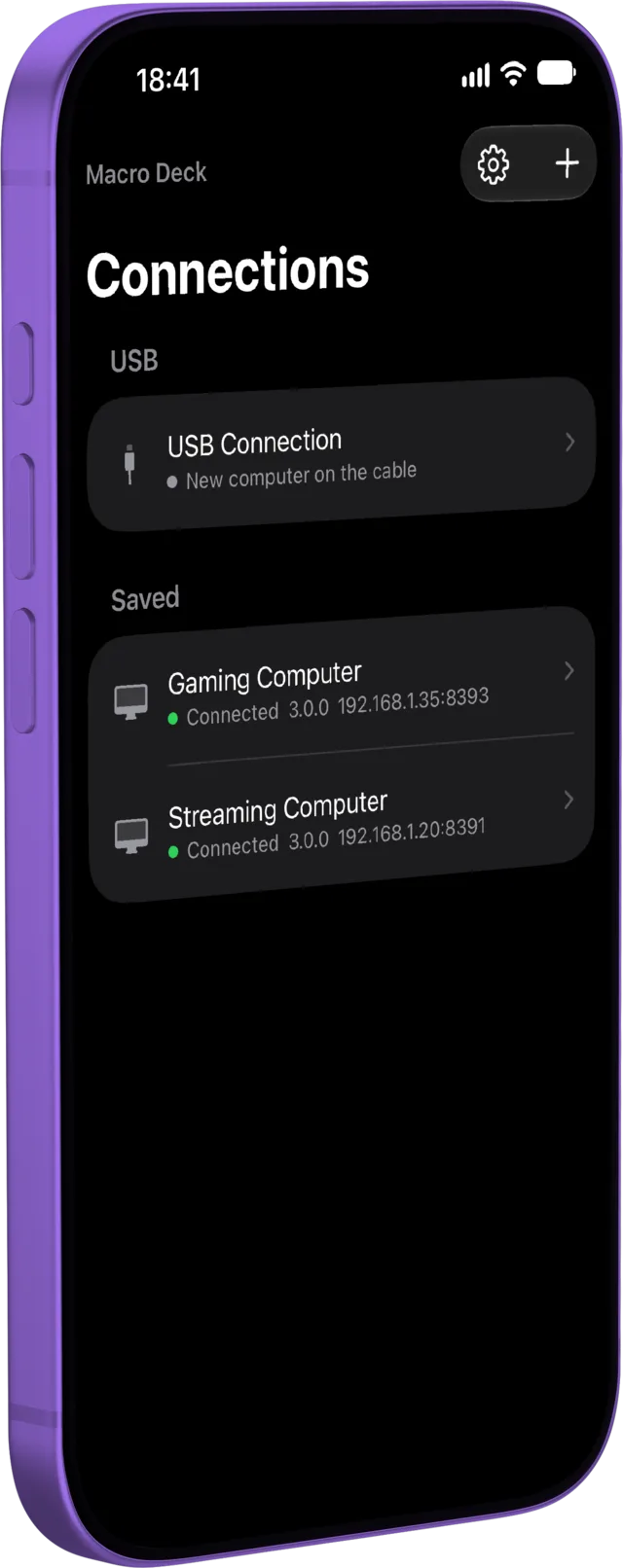
A spare phone, an old tablet or a browser window can become your control surface, so there is no dedicated hardware to buy. Connect several at once, each with its own profile and layout.

The Macro Deck desktop app with its deck editorThe Companion app's Connections screen on a phone, with a USB connection and two saved computers
Macro Deck hostWindows, macOS and Linux
  • Web ClientAny current browser
  • AndroidCompanion app
  • iOSCompanion app
Over your network
Devices connect to your computer directly. The Companion apps find it for you; the web client opens from an address or QR code.
Over USB
Android connects through ADB with the Companion app or web client. The Companion apps on Android and iOS can also connect without USB debugging, which is still experimental.
Side by side
Keep a phone for chat and a tablet for scenes. Different devices can open different profiles at the same time.

Developers

Build the integration, not the infrastructure

The plugin SDK gives you the same contracts the built-in integrations use. You write C#, and Macro Deck takes care of devices, settings, rendering and distribution.

Plugin SDK
Documented .NET packages for actions, variables, events, widgets, setup screens and device providers.
CLI
macrodeck-plugin creates, runs, tests, validates and packs a plugin without Macro Deck installed.
Creator Portal
Connect your repository, manage builds, testers and releases, and publish to the Store.
Public APIs
Read your projects' status and analytics through the Public API, for dashboards, badges and CI.

And when you want to know how something works, the host is open source.

~ % macrodeck-plugin new --name "Hello Deck" --publisher Acme -yCreated plugin project at '~/HelloDeck'.Manifest: ~/HelloDeck/src/HelloDeck/manifest.jsonBuild configuration: ~/HelloDeck/src/HelloDeck/macrodeck-build.json~ % cd HelloDeck/src/HelloDeckHelloDeck % macrodeck-plugin run --project . --watchUsing host at http://127.0.0.1:52417.Developer Mode is enabled; a pairing prompt will appear in Macro Deck.Started process 70511 (mode: SelfRegistering, host: http://127.0.0.1:52417). Press Ctrl-C to stop.Watching the project: a saved change is applied with .NET Hot Reload, or rebuilds and restarts the plugin. Open developer previews in Macro Deck follow along.[plugin] dotnet watch 🔥 Hot reload enabled. For a list of supported edits, see https://aka.ms/dotnet/hot-reload.[plugin] dotnet watch 💡 Press Ctrl+R to restart.[plugin] dotnet watch 🔨 Building ~/HelloDeck/src/HelloDeck/HelloDeck.csproj ...[plugin] dotnet watch 🔨 Build succeeded: ~/HelloDeck/src/HelloDeck/HelloDeck.csproj...[plugin] info: MacroDeck.Plugin.Hosting.Transport.PluginConnectionHostedService[0][plugin]       Registered with the host as '"com.example.hello-deck"'....[plugin] info: HelloDeck.PluginIntegration[0][plugin]       Initialized.^CStopping the plugin...The plugin exited within its 10s grace period.HelloDeck % macrodeck-plugin test --project .Macro Deck plugin conformance report (suite 1.3.0)Plugin: com.example.hello-deck 1.0.0Started: 2026-10-21T18:20:41.3954460+00:00, duration: 00:00:21.6978993Passed: 25, Failed: 0, Skipped: 24Conformant: yes[PASS] MDC0101 The plugin id is a valid reverse-domain package id (Required)[PASS] MDC0102 Every declared capability's local id is a valid declared-kind identifier (Required)...HelloDeck % macrodeck-plugin buildBuilding linux-x64...Building osx-arm64...Building win-x64...Built linux-x64, osx-arm64, win-x64.Packed com.example.hello-deck 1.0.0 -> ./com.example.hello-deck-1.0.0.macroDeckPlugin (46 entries, 5491783 bytes uncompressed).HelloDeck % 

Macro Deck UI

Plugins can bring their own interface

Plugins are not limited to adding actions and variables. Macro Deck has its own declarative UI framework for C#: you describe a view once as a tree of components, and Macro Deck renders it wherever it is needed, as a deck widget, a configuration screen, a folder view or a modal dialog.

var muted = new UiState<bool>(false);

var tile = new UiButton
{
    Key = "mute",
    Justify = UiComponentJustify.Center,
    Background = UiValue.From(() => muted.Value ? "#ff3b30" : "#2c2c2e"),
    Events = [UiEventHandler.On(UiComponentEvents.Press, () => muted.Value = !muted.Value)],
    Children = [new UiTextRun
    {
        Key = "label",
        Text = UiText.From(() => muted.Value ? "Muted" : "Mute"),
        Size = 0.14,
    }],
};

var view = new UiView(request.Surface, tile);
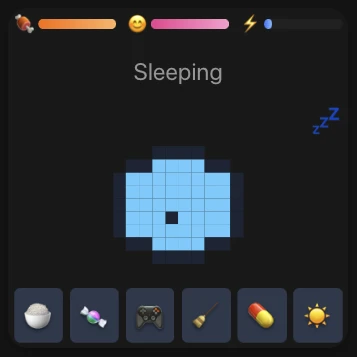
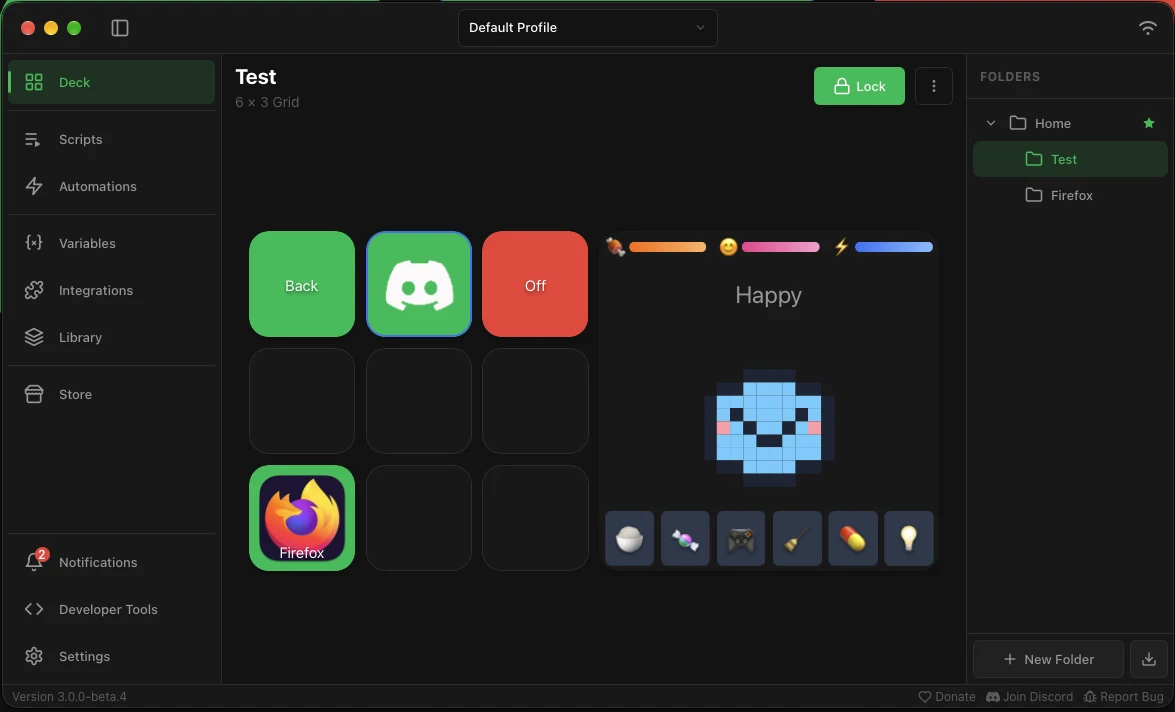
The Macrogotchi widget: stat bars for food, happiness and energy, a sleeping blue pixel-art pet and six buttons below itThe Macrogotchi widget on a deck in the Macro Deck editor, next to action buttons
Macrogotchi, a widget drawn entirely by a plugin.

Macrogotchi shows how far that goes. This open-source plugin keeps a virtual pet on your deck, with stat bars, a pixel-art sprite drawn from colored cells and six buttons, all in one widget.

Views are built from Macro Deck UI components such as stacks, grids, charts, gauges and sliders rather than embedded web pages, so they fit in with the rest of your deck.

Community

Built with its community since 2018

Macro Deck exists because people keep using it, reporting what is wrong and building what is missing. Many integrations in the Store are maintained by the community, the host is developed on GitHub, and what comes next is planned in public.

Try it on a device you already have

Macro Deck and its web client are free to download and use.

Elgato and Stream Deck are trademarks of their respective owners. Macro Deck is an independent project and is not affiliated with or endorsed by Elgato.