Macro Deck Store
Plugins en pictogrampakketten, gemaakt door de community. Vind wat je nodig hebt en open het in Macro Deck om het te installeren.
Breid je Macro Deck uit
Vind plug-ins en pictogrammenpakketten die nieuwe acties, widgets en looks aan je deck toevoegen.
Geen extensies gevonden
Probeer een andere zoekterm of een ander soortfilter.
De store is op dit moment niet beschikbaar
De Store kon niet worden geladen. Probeer het zo meteen opnieuw.
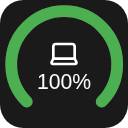
Battery Widget for Macro Deck 3 This widget shows your battery! (...if that wasn't obvious from the name)
Features
Opening the settings shows two tabs, Appearance and Devices. In Appearance you can change how it looks Circles! - Gauge mode - the thing where you can make it a half circle (180°) or slightly more full circle (270°) - Thickness of the circle - Rounded ends in gauge mode You can show or hide different settings like - Device name (also if it shows in the circle or under) - Percentage (also if it shows in the circle or under) And colors! - For different battery levels (for now only low/medium/high and their tresholds) - When a device reports chargin mode - Color of the icon - Color of the name - Color of the percentage In Devices you can change what it shows Devices are shown from Macro Deck 3's battery catalogue
Requirements Macro Deck 3.0.4 or newer 64-bit x86 Linux (linux-x64)
Install
Option 1. From the store (button above)
Option 2. From the releases Download the latest release from the releases Open Macro Deck 3 > Integrations > Add > Install from file... Select the downloaded file and press install!
License
MIT
De store is op dit moment niet beschikbaar
De Store kon niet worden geladen. Probeer het zo meteen opnieuw.