Macro Deck Store
Плагины и наборы значков, созданные сообществом. Найдите то, что вам нужно, и откройте в Macro Deck, чтобы установить.
Расширьте возможности Macro Deck
Находите плагины и наборы значков, которые добавляют на вашу панель новые действия, виджеты и оформление.
Расширения не найдены
Попробуйте другой поисковый запрос или фильтр по типу.
Магазин сейчас недоступен
Не удалось загрузить магазин. Попробуйте ещё раз чуть позже.
Обзор
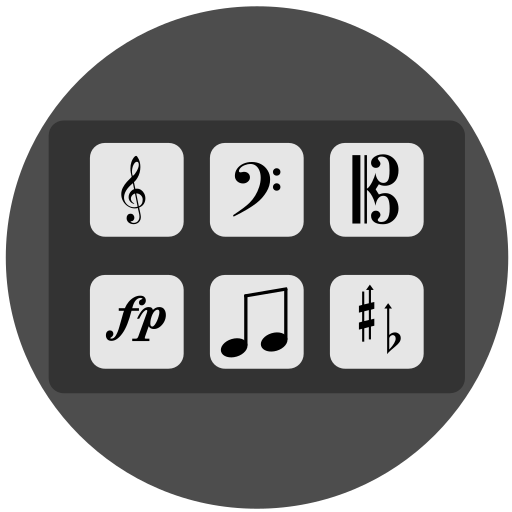
DoriDeck
An unofficial Macro Deck extension that provides an interface for running Dorico commands and scripts directly from Macro Deck.
This plugin is intended to make common Dorico workflows faster by allowing users to trigger recorded macros, execute Dorico API commands, and connect Macro Deck buttons to Dorico-related actions.
Project Note
I am not a power Dorico user. I use Dorico casually from time to time, mainly for small projects, especially choir-related work. This extension was created to make my own workflow faster and more comfortable, and it currently works very well for my needs.
That said, your workflow may be different. If you are missing a feature, have an improvement idea, or would like to suggest better icons or UI changes, feel free to contact me or open an issue. Contributions and suggestions are welcome.
Why Macro Deck?
Any grid size. Unlimited folders and profiles. Turn any phone or tablet into a control deck. Use on the go — no wires required. Simple to set up and use, with no overwhelming interfaces It’s FREE!:cry:.
Features
Please see wiki
Compatibility Macro Deck 3
Macro Deck 2.15 version here
This plugin has been tested with Dorico Pro 5.1.81 on Windows 11 with Macro Deck 3.0.0-beta and 2.15.0. and Dorico Pro 6.2.31 on MacOS 15.6 with Macro Deck 3.0.0-beta
Installation
Open Macro Deck on your PC. Go to Store. Search for DoriDeck. Click Install.
Manual Installation (Macro Deck 2 Only)
Download the extension package. Download Open Macro Deck on your PC. Go to Extensions. Click Install from file. Select the downloaded extension package.
You can also download the notation icon pack from here.
Starter profile to simplify your setup (add it to %AppData%/Macro Deck/profiles/ folder).
Usage
After installing the plugin, open Macro Deck and add one of the available Dorico actions to a button.
Available Actions
Action Description Run Script Executes a recorded Dorico macro. Run Command Executes a Dorico command through the API. Examples of available commands can be found here. Find/Replace Replaces Dynamic/Playing Technique in a score (E.g.: p->f portato->marcato). Insert Lyrics Syllabify and Paste Lyrics to Dorico. Pickup Measure Simplify creating a pickup measure Rehersal Mark Custom rehearsal mark (Section header) Respell Note Enharmonically Respell note Choir Reduction Create a piano version of a choir score using cues Connect Creates a connection between Macro Deck and Dorico. Clear Connection Token Re-authenticates the connection to Dorico. Use this if MD cannot connect to Dorico. Virtual Keyboard Virtual piano keyboard folder to enter notes to Dorico
Limitations Dorico must be running to execute actions successfully. Some actions may depend on your Dorico version. DoriDeck uses unofficial Dorico API that can change, break, or be disabled at any moment.
Disclaimer
This project is an independent third-party plugin and is not affiliated with, endorsed by, sponsored by, or otherwise associated with Steinberg Media Technologies GmbH.
Dorico is a trademark or registered trademark of Steinberg Media Technologies GmbH in the United States, Europe, and other countries. All product names, trademarks, and registered trademarks are the property of their respective owners.
Use this plugin at your own risk. The authors and contributors are not responsible for any loss of data, interruption of workflow, software malfunction, or other damages resulting from the use of this plugin. Users are encouraged to back up their Dorico projects before using automation tools or running custom commands.
Third-Party Licenses
This plugin uses awesome 3rd party libraries:
Dorico.Net — MIT License Moby-Project: mhyph.txt - Public Domain. See Details
Contributing
Contributions, bug reports, and feature requests are welcome.
When reporting an issue, please include:
Macro Deck version Dorico version OS version Steps to reproduce the issue Expected behavior Actual behavior
Магазин сейчас недоступен
Не удалось загрузить магазин. Попробуйте ещё раз чуть позже.